
Most people don’t know that muted chaos sounds worse than live chaos on camera, so you’ll actually want a plan before you click invite. You’ll pick a platform, test cameras and microphones, and sketch a short agenda that keeps things moving—think cozy icebreaker, a silly game, then dessert-time show-and-tell—so folks don’t freeze in awkward silence. I’ll walk you through quick tech fixes and festive extras that make your party feel intentional, not desperate.
Key Takeaways
- Choose a platform (Zoom, Google Meet, Gather) based on breakout, simplicity, and guest tech comfort.
- Set a clear agenda with theme, time limits, icebreakers, and a designated timekeeper.
- Test camera, mic, internet, and have a backup device and link ready.
- Plan interactive activities (trivia, scavenger hunt, breakouts, sing-along) to keep energy high.
- Coordinate food/gifts ahead (menus, delivery, price cap) and schedule a live unboxing or toast.
Choosing the Right Platform and Tech Setup
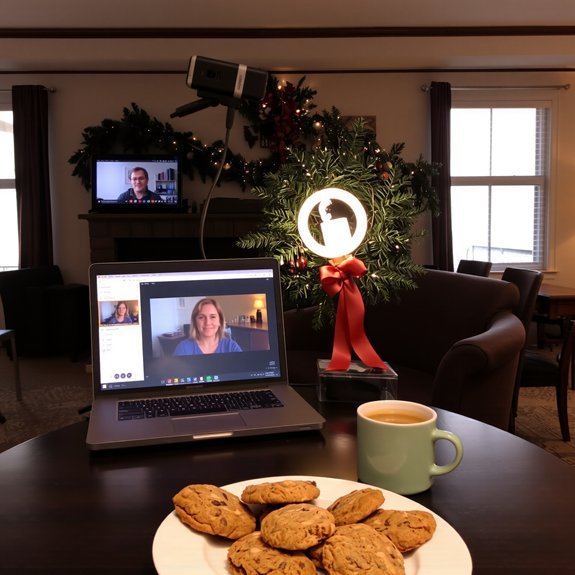
Alright—let’s get the boring but essential stuff out of the way. You’ll pick a platform after quick platform comparisons: Zoom’s reliable, great for breakout rooms; Google Meet is simple, no downloads; Gather adds playful spaces, but needs more setup. Check tech requirements before you commit, you don’t want a surprise buffering scream. Test your camera, mic, and internet speed—stand under warm light, listen for echoes, tap the mute button like a pro. I’ll say it: wired Ethernet beats flaky Wi‑Fi, every time. Have a backup device ready, and keep the link obvious, pasted in chat and calendar. I’ll poke fun at my own last-minute chaos, but you’ll be calm, click, and adored.
Crafting a Festive Agenda and Guest List

How do you make a party feel like a party when everyone’s in pajamas and pixels? I’m blunt: you plan like a pro, but keep it cozy. Pick creative themes that spark smiles, set a tone, and prune the guest list so conversation flows. You want guest engagement, not crickets.
Plan like a pro, keep it cozy: pick a playful theme, trim the guest list, and spark real conversation.
- Start with a theme, announce it early, add a sensory prompt (smell, sound, snack).
- Limit length, stagger arrivals, assign a conversational icebreaker.
- Group guests by connection, mix coworkers with friends, avoid awkward exes.
- Name a timekeeper, outline segments, leave room for casual hangout.
I narrate, I nudge, you execute. Small details — a playlist cue, a toast line — make pixels feel warm and real.
Virtual Games, Activities, and Entertainment
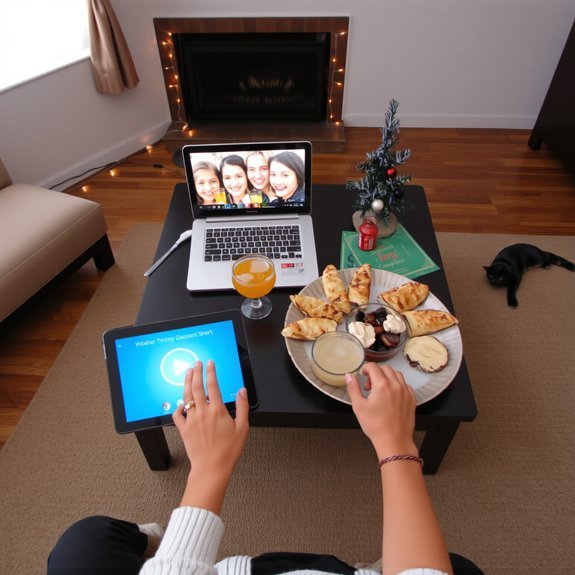
Games are your party’s heartbeat, so pick beats that get people tapping—even if it’s just their mute buttons. You’ll kick off with virtual trivia, I’ll host, you’ll shout answers into your webcam like it’s a game show, and laughter will ricochet through headphones. Mix short rounds with lightning questions, keep score with emojis, reward weird facts. Slide into a holiday scavenger, send people racing through kitchens and closets, palms thudding on wood as they fetch ornaments or candy canes. Throw in breakouts for charades, use reactions for applause, cue a playlist that smells like gingerbread and pine. Keep rules crisp, timers loud, and don’t be precious — goofy wins. End with a sing-along, off-key and glorious.
Coordinating Food, Drinks, and Gift Exchanges
If you want your virtual party to feel like a real get-together instead of a sad slideshow of frozen smiles, you’ve got to plan the eats, the drinks, and the gift chaos like a kindly tyrant — I’ll show you how. You’ll coordinate food delivery, swap drink recipes, and set clear gift themes so everyone knows the vibe. Ask about dietary preferences up front, then match menus and surprise boxes.
- Send a curated menu link and local food delivery options.
- Share two easy drink recipes, one boozy, one mocktail.
- Pick a gift theme, price cap, and delivery deadline.
- Run a live unboxing order, call names, cheer, reroute mistaken packages.
You’ll orchestrate warmth, clink virtual glasses, and laugh when the cat steals a present.
Troubleshooting Common Technical Issues
Because you’re not hosting in a living room, you’ll need a battle plan for when technology stage-whispers “nope” at the worst possible moment. I tell you what to do: test audio issues before guests arrive, tap mute buttons, and wiggle your headset like a veteran electrician. If video glitches, switch cameras, lower resolution, or freeze your face dramatically for comic effect. For connection drops, have a phone hotspot ready, move closer to the router, or declare a snack break while you reboot—people forgive interruptions. Practice screen sharing once, twice, out loud, so your slides don’t become a pixelated mystery. Keep instructions short, calm, and cheerful. You’ll handle it, you’ll laugh, and the party will keep going.
Conclusion
You’ve got this. I’ll say it plain: virtual parties work — 82% of remote workers say virtual gatherings boost team morale, so you’re not wasting anyone’s time. Set the scene: soft lights, a mug that smells like cinnamon, playlists cued. Run a tight agenda, toss in one goofy game, and send snacks ahead. If tech hiccups, laugh, reboot, keep the snacks coming. I’ll be here cheering, popcorn in hand.